


Remote Control for Rоku & TCL
4.15.50K Reviews
App Specs
- Version
- 1.8.5
- Updated On
- License
- Free
- Downloads
- 1,000,000+
- Developer
- SensusTech LLC
- Categories
- Tools
- Platform
- Android
Screenshots
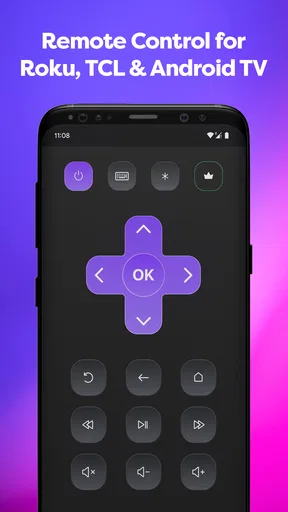
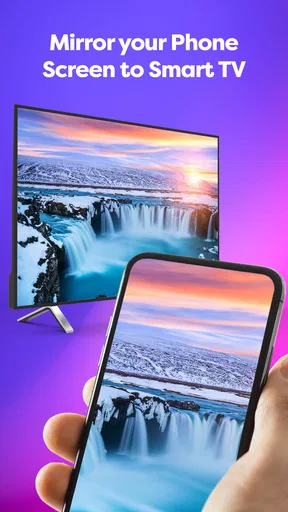
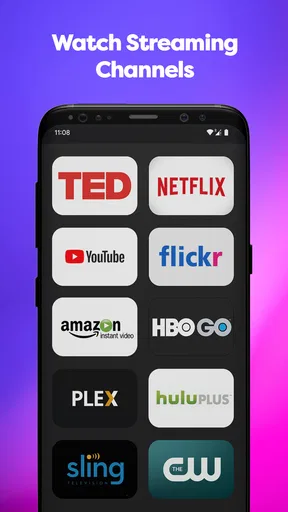
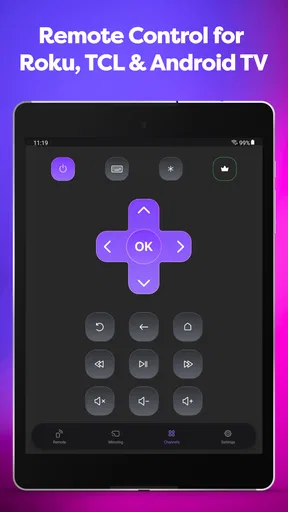
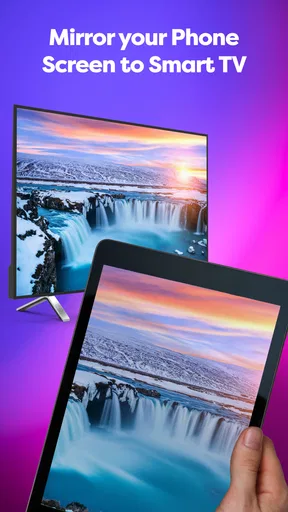
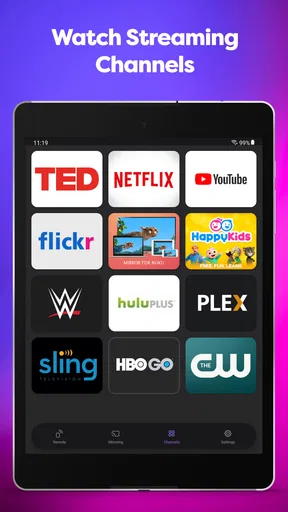
 Analysis by AppCompare
I reached for Remote Control for Roku & TCL after the familiar problem of a missing television remote, expecting a simple replacement rather than a complete entertainment system. That is exactly the right way to view it: this is a practical tools app from SensusTech LLC that turns a compatible phone into a controller for supported Roku, TCL, Hisense, and Insignia smart TVs, with screen mirroring included in its overall offering. It is free to install, aimed at Everyone, and available for Android devices running version 7.0 or later.
In daily use, the appeal is immediate. A phone is usually easier to find than a small remote buried between sofa cushions, and the touch interface can feel more convenient when I am already holding my phone. The app has reached over a million installs and holds a 4.1 average from roughly fifty-seven thousand ratings, so it is clearly solving a common household problem for many people. Still, the experience depends heavily on whether the television and phone are ready to communicate, and that is where the useful details begin.
How the app fits into everyday TV control
I find a phone-based TV remote most useful when it complements the physical one rather than trying to replace it outright. In this section, I’ll focus on the everyday situations where that convenience matters, while keeping in mind that successful control still depends on the television and phone being able to connect. That practical distinction leads naturally to the setup checks that can prevent a frustrating first try.
A replacement remote with a practical purpose
The main job is straightforward: use a mobile device to control a compatible smart TV. That makes it useful in several situations. If the original remote has disappeared, if its buttons have become unreliable, or if you want a second controller for another room, a phone-based remote can be a sensible backup. I also see value for households where different people use the same television but do not always remember where the physical controller was left.
The app’s focus on Roku, TCL, Hisense, and Insignia televisions gives it a more specific role than a universal remote that tries to cover every brand. That focus can be helpful because you are not navigating a long list of unrelated device types. At the same time, the brand name alone should not be treated as a guarantee that every television will behave identically. Smart TV software, network setup, and model compatibility can affect what works smoothly.
The included screen mirroring function adds another reason to consider it. Remote control is useful when I want to browse menus or adjust playback, while mirroring is more relevant when I want the television to show content from my phone. These are different needs, and combining them in one app may be convenient for someone who watches personal media, shares something with a room, or wants the phone to act as the starting point for what appears on the larger screen.
What I would check before relying on it
The first practical check is the television’s brand and smart-TV setup. The app is designed around Roku, TCL, Hisense, and Insignia smart TVs, not ordinary non-smart sets. If your television does not belong to that supported group or does not have the necessary smart functions available, installing the app will not turn it into a network-connected television.
Worth Reading Before You Choose

EA SPORTS FC Mobile 26 Is a Bigger Football Game, but It Takes Time

Flipboard Shows What News Apps Must Do Beyond the Feed

Switching to Android Auto Means Rethinking Your Driving Routine

Google Calendar Makes a Crowded Week Easier to Manage

Ludo King Makes the Most of the Minutes Between Plans

Baby Panda World Brings Quick Play to Modern Phones, but Its Game Library Feels Busy
The second check is the connection environment. Phone-based TV controls normally need the phone and television to be able to find one another on the same local network. A guest network, a separated Wi-Fi band, or a television connected through a different setup can interfere with discovery. I would therefore test the app while standing near the television and with both devices connected to the home network I actually intend to use, rather than waiting until a movie is about to start.
This is one of the less obvious trade-offs of a smart remote: the physical remote can work without asking whether the phone is on the right network, while the app may need that relationship to be correct first. That does not make the app poor, but it changes the troubleshooting process. If the television is not found, I would check network connection and compatibility before assuming the app itself is broken.
The cost is easy to understand, but the value depends on use
The app is free to install and offers in-app purchases priced at $4.99 per item. That gives it a low-risk entry point: I can try the basic experience before deciding whether any paid element is worthwhile. The free access is especially attractive when I only need an emergency remote or want to confirm that my television can be controlled from the phone.
I would separate that free convenience from the value of the paid options. A free remote can already be useful if it reliably handles the controls I need. Paying becomes easier to justify when the app’s additional capabilities fit a regular habit, such as using screen mirroring often or keeping a dependable phone-based controller available in a room where the original remote is frequently misplaced. For occasional use, the free starting point may be enough.
There is also a practical question about dependence. A physical remote is a one-time object that remains available as long as it has working batteries and is compatible with the television. This app uses a device you may need for other things, so battery level, notifications, and the desire to keep your phone free can reduce its convenience. I would not throw away a working original remote just because this app is installed; I would treat the app as a flexible second option.
Where the phone interface helps
Touch controls have a few advantages over a small plastic remote. I can search for the app on my phone, keep the controller in the same place as other household tools, and avoid guessing which remote belongs to which television. For someone who already uses a phone constantly, the learning curve is usually shorter than learning an unfamiliar universal remote.
The phone also gives the experience a more natural connection to screen mirroring. Instead of moving between a separate remote and a different sharing tool, I can begin with the same app when my goal is to put phone content on the television. That unified workflow is the strongest reason to choose this kind of application over a basic replacement remote.
Another useful habit is to open the app before sitting down for a long viewing session. If the television is visible and connected, I can confirm that control works while there is still time to fix a network issue. This small step matters more than it sounds, because discovering a connection problem after the physical remote has already gone missing is exactly when a backup app feels least helpful.
Where it can feel less convenient
A phone screen is not always a better control surface. When I want to change volume quickly in a dark room, a physical remote can be easier to operate by touch. A phone may also lock, display another notification, or require me to switch away from what I was doing. That interruption is minor for occasional commands but more noticeable when I am repeatedly navigating menus.
Screen mirroring can bring its own friction. The phone and television need to cooperate, and the result may depend on the content and the way the television handles incoming media. I would use it for suitable personal or compatible content rather than assume that every app on the phone will mirror perfectly. If your main goal is only to control a television, the mirroring feature should be considered an extra rather than the reason to expect a flawless casting experience in every situation.
The app is also not the best choice for someone who wants a controller that works independently of Wi-Fi or a phone. A senior family member who prefers large physical buttons, a guest who does not want to install anything, or a household with unreliable home networking may be better served by the original remote or a dedicated replacement. The convenience here comes from combining a compatible TV, a suitable phone, and a working connection.
A realistic household example
Imagine that I am staying in a guest room with a TCL smart TV. The original remote is in another room, and I want to adjust the volume without searching through drawers. I install the app, connect the phone to the same home network as the television, and try to pair or discover the set while standing nearby. If the television appears, the phone becomes a quick backup and I can keep watching without interrupting everyone else.
Later, I want to show a photo or a piece of content from the phone to the room. The screen mirroring option may make the app more useful than a remote-only tool, provided the television and content support the required behavior. If discovery fails, I would not immediately pay for anything. I would first verify the network, confirm that the television is one of the intended brands, and restart the connection if necessary. That order prevents spending money on a problem that a setup check could solve.
This example also shows the app’s proper role. It is excellent as a convenient backup and potentially valuable as a combined remote-and-mirroring tool. It is less convincing as the sole control method for a home where the phone is often unavailable, the network is unstable, or several people need access without installing an app.
How it compares with the usual alternatives
The original remote remains the simplest option when it is present and working. It does not compete for phone battery, does not require opening an app, and usually offers predictable button access. The disadvantage is that it can be lost, damaged, or inconvenient to replace. This app addresses exactly those weak points rather than making the physical remote obsolete.
A generic universal remote is a stronger alternative for someone who wants one dedicated controller across several devices. It can be more comfortable for repeated use and more accessible to people who dislike touch controls. However, it may require setup, batteries, and a purchase before I know whether it suits my television. The free installation here makes experimentation easier, especially when I already own a compatible phone.
Brand-specific official control tools may be preferable when a television owner wants the manufacturer’s own ecosystem or the most direct support for a particular model. A third-party app such as this one is more appealing when the household includes the supported Roku, TCL, Hisense, or Insignia brands and the user wants one straightforward tool instead of separate apps. The trade-off is that the experience may not feel as deeply tailored to one manufacturer.
For screen sharing alone, a dedicated casting or mirroring method may be a better fit if it supports the phone and television combination more directly. This app’s advantage is convenience through combination. Its limitation is that a combined tool may not be the specialist choice for every individual task. I would choose it when remote control is the main need and mirroring is a useful bonus, not when mirroring is the only reason for installing anything.
Who is likely to get the most from it
I would recommend trying it first to people who own one of the supported smart-TV brands and regularly misplace the remote. It also suits renters, visitors, students, and families who want a quick backup without buying another piece of hardware immediately. The free entry point makes the decision relatively easy: test the connection, use the controls, and decide whether the routine is genuinely more convenient than reaching for the physical remote.
It can be especially useful in a multi-room home. Keeping a phone-based option available means I do not need to move a remote from one room to another every time someone wants to watch television. The experience is also practical for a person who already keeps the phone nearby while watching and does not mind using a screen for volume, navigation, or other commands.
I would be more cautious about recommending it to someone who wants a completely hands-off setup. If the user dislikes installing apps, has limited access to Wi-Fi, or needs large tactile buttons, a dedicated controller is likely the better investment. The same applies to households where children or guests frequently need to operate the television without borrowing the owner’s phone.
What the current release tells me about upkeep
The current version is 1.8.5, and the app was released on July 4, 2021. Those details place it in an established product rather than a brand-new experiment. Its substantial install base and review activity suggest that people have had time to try it in real homes, while the 4.1 average indicates a generally positive but not universally perfect experience.
I read that rating as a reason to keep expectations realistic. A remote app can be very useful when the setup matches its intended devices, yet frustrating when discovery or mirroring does not cooperate. The broad number of users makes it worth testing, but it does not remove the need to check compatibility in your own home. The best evaluation is a short hands-on trial before depending on it for an important viewing situation.
The Everyone content rating also makes it approachable for general household use. That does not solve the practical question of who owns the phone or who can access the television, but it does mean the app is positioned as an ordinary home utility rather than a niche specialist tool. I would still explain the setup to less technical family members instead of assuming that the first launch will be self-explanatory for everyone.
My buying decision after using it
My verdict is to try the free version when you have a compatible Roku, TCL, Hisense, or Insignia smart TV and want a convenient backup remote with screen mirroring available in the same place. The free access is the clearest part of the value proposition: it lets you test the connection and decide based on real use rather than committing to hardware immediately.
I would consider a $4.99 in-app purchase only after the free experience has proved useful in my routine. The paid value makes sense when the added capability solves a repeated problem, not simply because the app is installed. For a one-time emergency, paying may be unnecessary; for frequent control and mirroring, it may be reasonable if the specific option improves the way you use the television.
My recommendation is simple: install it as a low-risk backup, test the TV connection before you need it, and keep the original remote if it still works. Choose a physical or dedicated universal remote instead when independence from Wi-Fi, tactile buttons, or shared access matters more than phone convenience. For the right household, this app turns a missing remote from a nuisance into a manageable problem without asking for an upfront purchase.
Pros
- Quick pairing with compatible Roku and TCL devices
- Convenient keyboard for faster text entry
- Useful alternative when the physical remote is missing
- Simple layout that is easy for most users to navigate
- Supports basic playback and volume controls from one app
Cons
- Requires both devices to share the same Wi-Fi network
- Compatibility may vary across Roku and TCL TV models
- Free version may include intrusive advertisements
- Some advanced TV settings may be unavailable in the app
- Connection can drop when the Wi-Fi signal is weak
FAQs for Remote Control for Rоku & TCL
What is Remote Control for Roku & TCL, and how does it work?
Remote Control for Roku & TCL is a mobile remote app designed to control compatible Roku streaming players, Roku TVs, and selected TCL smart TVs from an Android or iOS device. After installing it, your phone and television generally need to be connected to the same Wi-Fi network. The app then searches for available devices and provides virtual buttons for navigation, playback, volume, input selection, and other supported functions.
Is Remote Control for Roku & TCL compatible with every Roku device and TCL television?
Compatibility can vary depending on the exact Roku player, TCL television model, operating system, and region. Most devices must support network-based remote control, while older models or televisions with limited smart features may not work correctly. Before downloading, check the app description and your TV settings. It is also important to confirm that your Roku or TCL device is powered on and connected to the same wireless network as your phone.
Does the app require Wi-Fi, Bluetooth, or an infrared connection?
In most cases, Remote Control for Roku & TCL uses Wi-Fi rather than infrared or Bluetooth. Your smartphone and the Roku or TCL device normally need to be connected to the same local network for pairing and control. This means the app may not operate when your phone is using mobile data or a different Wi-Fi network. Network isolation, guest Wi-Fi modes, VPNs, or router settings can also prevent device discovery.
What can I control with Remote Control for Roku & TCL?
The available controls usually include directional navigation, select, back, home, playback buttons, volume adjustment, mute, channel or input controls, and power functions on supported TCL televisions. Some versions may also offer a keyboard, voice-related features, or quick access to streaming services. However, the exact feature set depends on the connected device and the app version, so certain physical remote buttons may not be available.
Is Remote Control for Roku & TCL free and is it safe to use?
The app may be available to download for free, but some functions can depend on advertisements, optional purchases, or subscription terms shown in the store listing. Review the requested permissions, privacy policy, and developer information before installing. A remote app should not require unnecessary access to sensitive data. For safer use, download it only from the official Google Play Store or Apple App Store and avoid unofficial modified versions.


